Facial Animation Sharing
Heads are special and very complex. Animating them can be itself very time-consuming and its outcome not good enough if you won’t do it on the right way. Here I’d like to present you the second stage of working with them, i.e. animating and implementing to the engine - so that the animations can be shared between characters. As for face rigging, I have got another separated artwork, ‘Facial Rig’: https://www.artstation.com/artwork/mqNR0Y, to which I encourage you to look at.
Since our biggest point in establishing this workflow was automation and consistency we choose to use FaceFX Studio for animating https://www.facefx.com/. In general FaceFX Studio is used to generate anim data based on audio file which can then be exported to your game or anim package. What is important in our case you are able here also to import and export raw curve data between the .facefx and .fbx formats.
The first step in getting face easy to animate was to have them animating attributes as much as possible, instead of individual joint transformations. So in our case we found out that the FaceFX Studio is really good solution here to speed up the process.
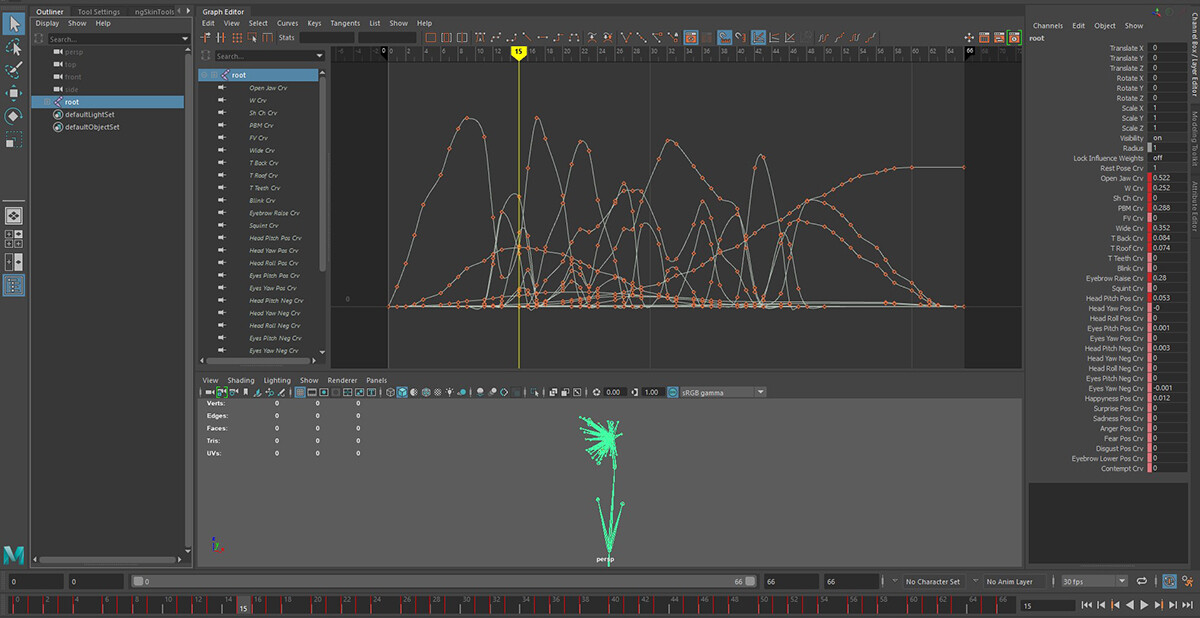
So that kind of animation we are bringing from FaceFX to UE. Basically animated attributes that sits on the root bone. This method is going to give you also less curves to deal with, since youʼd only have 1 channel per attribute instead of 6 per joint.
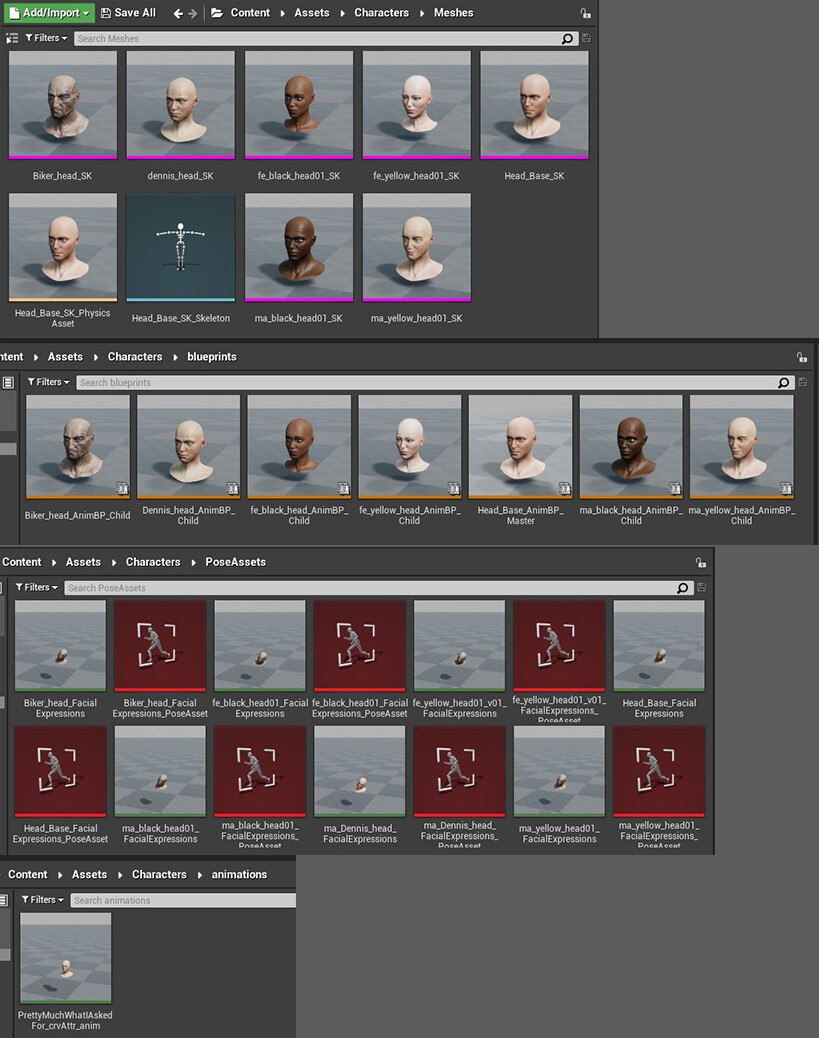
To create PoseAsset you have to import bone_driven anim which contains all poses (baked in every frame - according to the character setup that we bring in to the FaceFX). Then you will need to define the Pose Names by entering in each name manually.

To import anim curves to UE, you have to check 'Import Custom Attribute' to ON and 'Import Bone Tracks' to OFF in import option box. Curve names in Pose Asset are exact the same as the attribute names in the FBX animation file.
To sharing animations we use Master Skeleton and Parent/Child AnimBP. So every next head that uses the Master Skeleton would then have access to these curves and can drive their own facial animation by the different values represented in each curve.